

Your 8-step process for writing a “great” hero post
Scroll down for my video tutorial.
A “hero” post is a pinned post on your Substack homepage that welcomes people. It also appears as a pinned post on your profile in the app under Archive.
Your Substack Profile page ~your Instagram profile page, i.e., what people see if they click your name on Notes:

In the app, people can’t access the About page, which means your hero/welcome post needs to:
Orient people to your Substack
Tell them who you are
Invite them to subscribe
It will have a slightly more conversational flavor than your About page.
Hero post writing workshop and tutorial
Step 1: DO NOT USE AI
I’m hardcore about this. Do not “brainstorm” with AI for this. Do not let it write even a sentence of your hero post. Do not use Grammarly’s suggestions (these will kill your voice). BE YOU.
If you want help, take your post or ideas to the paid subscriber chat and ask for feedback.
I’m not a fan of typos and I’m a punctuation devotee, but I’d rather see you have a typo than loose yourself (typo intended).
Step 2: Don’t overthink this. Be natural, genuine. Be your wonderful self.
Step 3: Write it as a (brief) letter to your (potential) subscribers.
In the drafting stage, write it to me. Yes, start Dear Sarah and tell me about your Substack, why it matters, what it means to you, what other subscribers have said about it.
Then remove the salutation (Dear Sarah).
Step 4: Revise
By revision, I mean putting it aside for a day and stepping back to see it afresh.
Then look only at what you say.
Don’t try to “make it flow.”
Just ask, Did I start too early? Could I make this more succinct?
Cut and keep it brief.
Step 5: At the bottom, include what subscribers get (free/paid) and an invitation to subscribe.
Step 6: Include visuals: Include an image of you or some other signifier that we’re on your Substack.
Step 7: IMPORTANT! Insert as many links to your Substack as possible, maybe even a directory to your posts. And include a subscribe button. Or two.
Optional: Send it out as a post to your subscribers. It might be the most popular post you send—and it’s a great opportunity to convert paid subscribers.
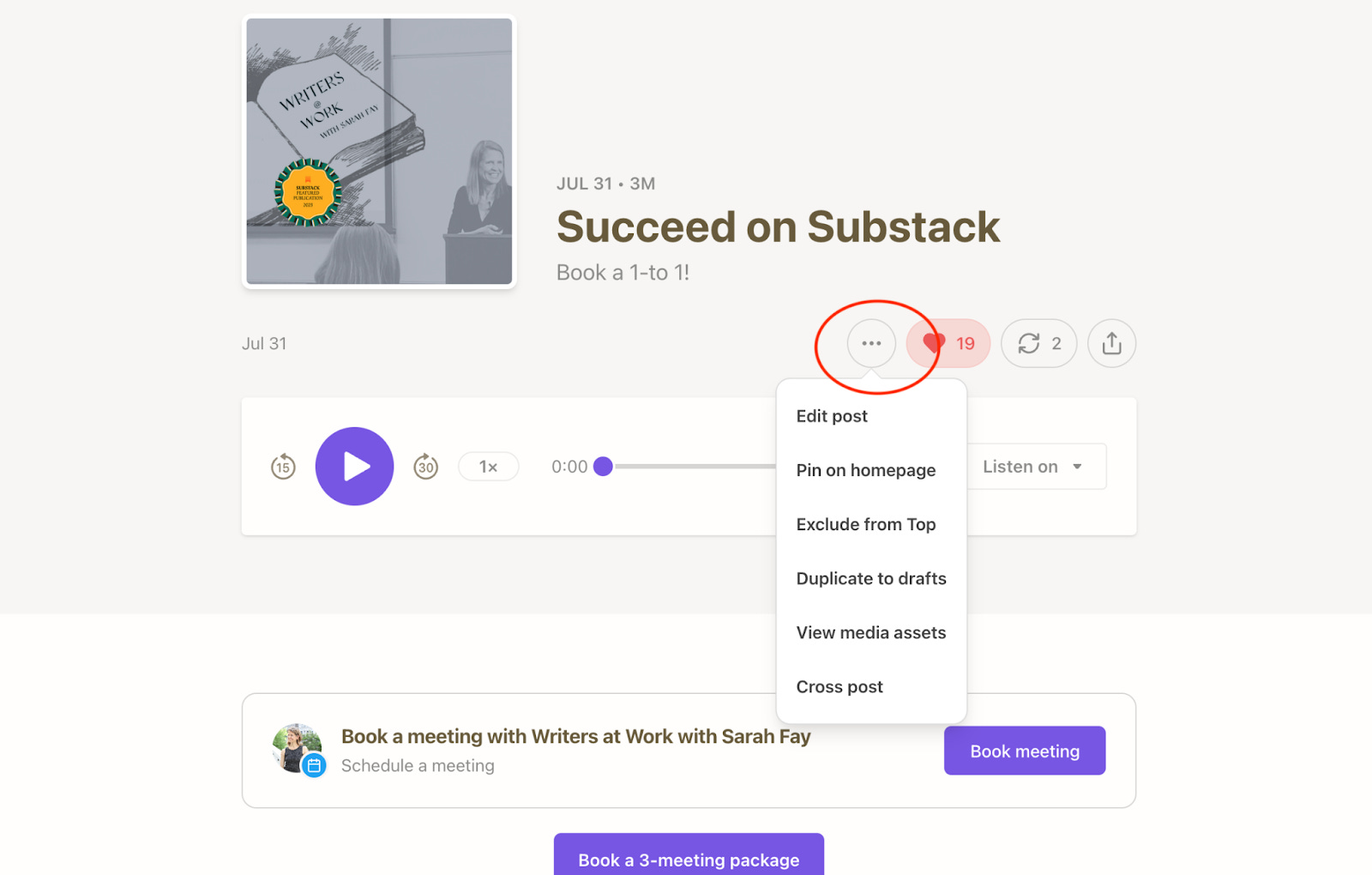
Step 8: After you’ve posted it, on the post’s dropdown menu, select Pin on homepage.
More tech guidance is below + my video tutorial.
That post will now remain the top post on your homepage and in your archive in the app.
Hero post example:
Julie Gabrielli revised her hero post based on these directions, and it’s wonderful. Read it here.
Tutorial:
Hero post tech guidance:
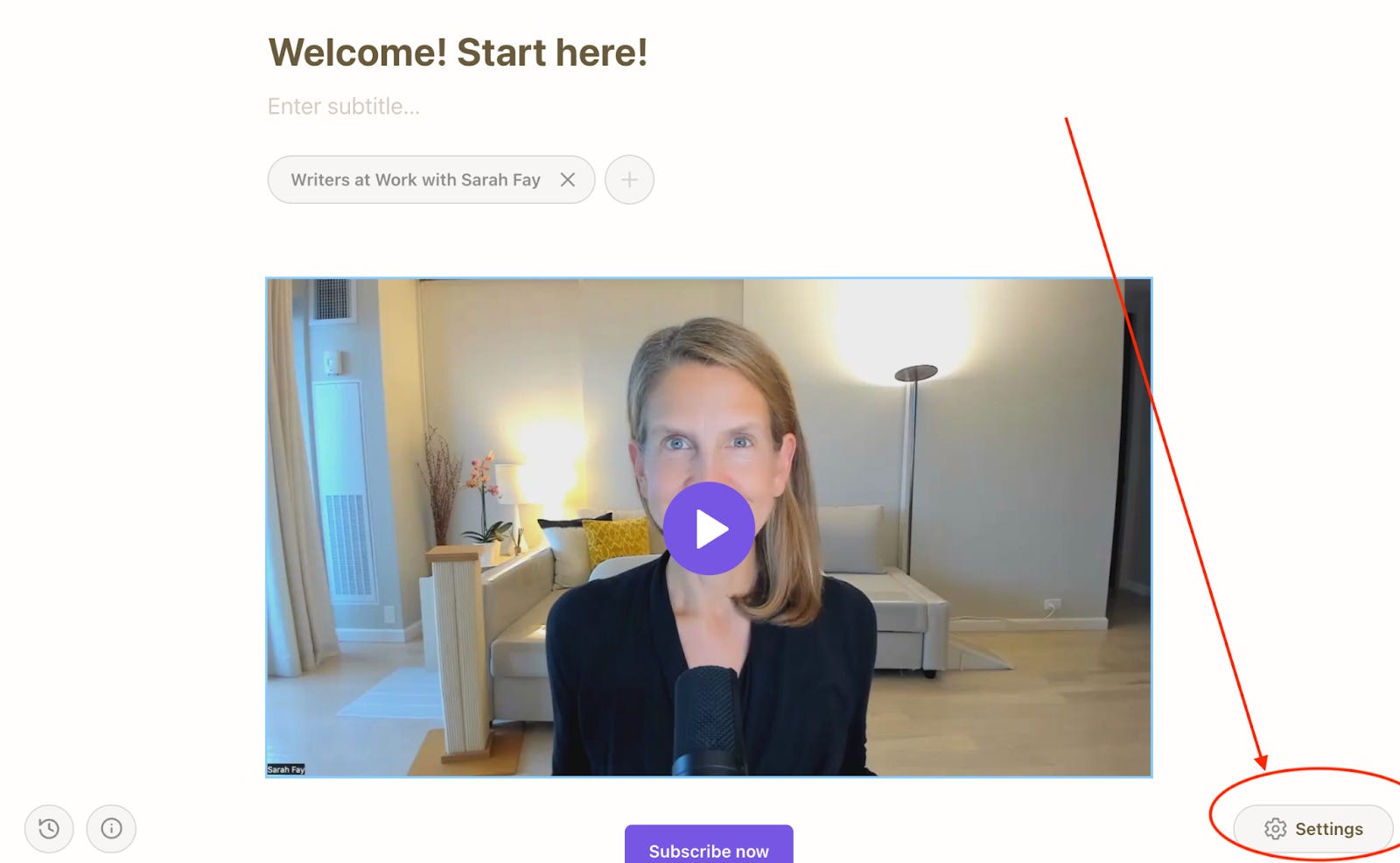
After you’ve posted it, go to Edit again.
Go to Settings in the lower right corner of the page.
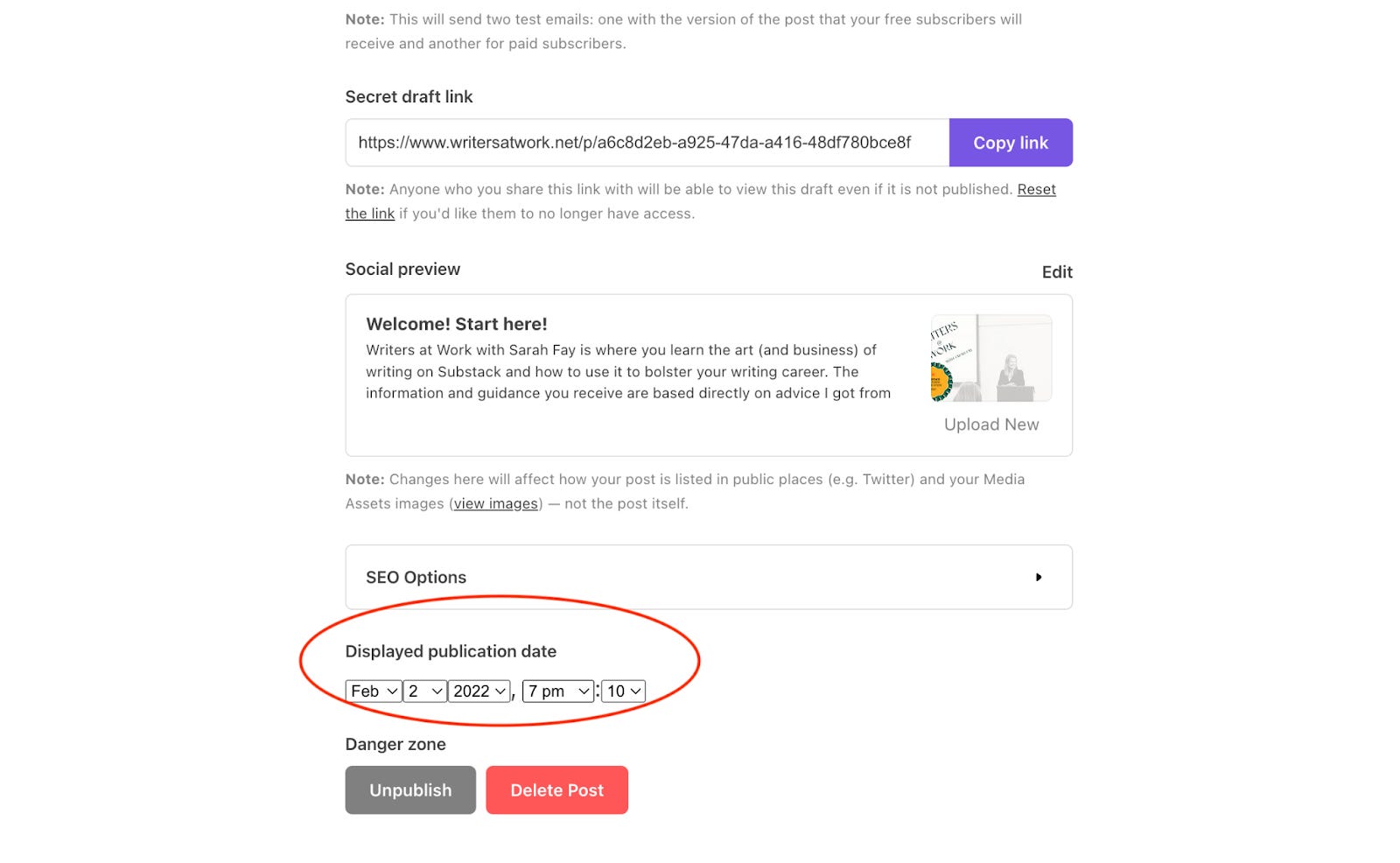
Scroll down to Displayed publication date and backdate the post to just before your very first post. This will prevent it from appearing in duplicate. Close and return to the page you’re editing. (No need to save. There isn’t the option.)
Continue>Update now
On the post, click the three dots to edit again.
On the dropdown menu, select Pin on homepage. That will be the featured post.