

🔻 Tags ≠ Hashtags + Groups vs. Sections Explained
Step 4 in the Substack Starter Pathway


Substack can be maddening in the way it names things. Below, I explain what tags are and aren’t, plus how to use groups vs. sections. Don’t miss the tutorial video.
This will save you a lot of time now and later on.
The Substack tech most people get wrong
Join me as a paid subscriber to access.

I’ll probably go to my deathbed saying this: Tags are not hashtags. They are not keywords for discoverability.
» If you’re on the 2026 Substack Starter Pathway, this is step 4. (Just joining? Start here.)
If—before you read this—you believed they were and typed a bunch of “keywords” into the spot marked tags on your posts, you’re not alone.
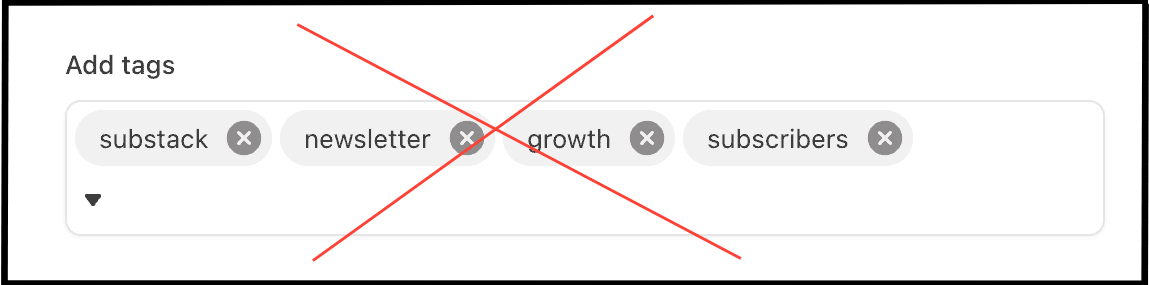
You may have been misled because some of the people supposedly teaching you about Substack tell you tags are for discoverability. (One even claimed they helped her get her post on the first page of Google search results, clearly not knowing there’s no such thing because Google search results are personalized. Substack Co-Founder Hamish McKenzie even took the time to correct her in the comments of her post.)
So I’ll say it again: Tags are not for discoverability. Tags are a way for you to organize your homepage.
Using tags and groups to design your homepage
If you look at our Substack Writers at Work homepage, it’s designed to help you find what you need.
Posts are grouped by pathway: the Starter Pathway, the Growth Pathway, the Paid Strategy Pathway, etc.
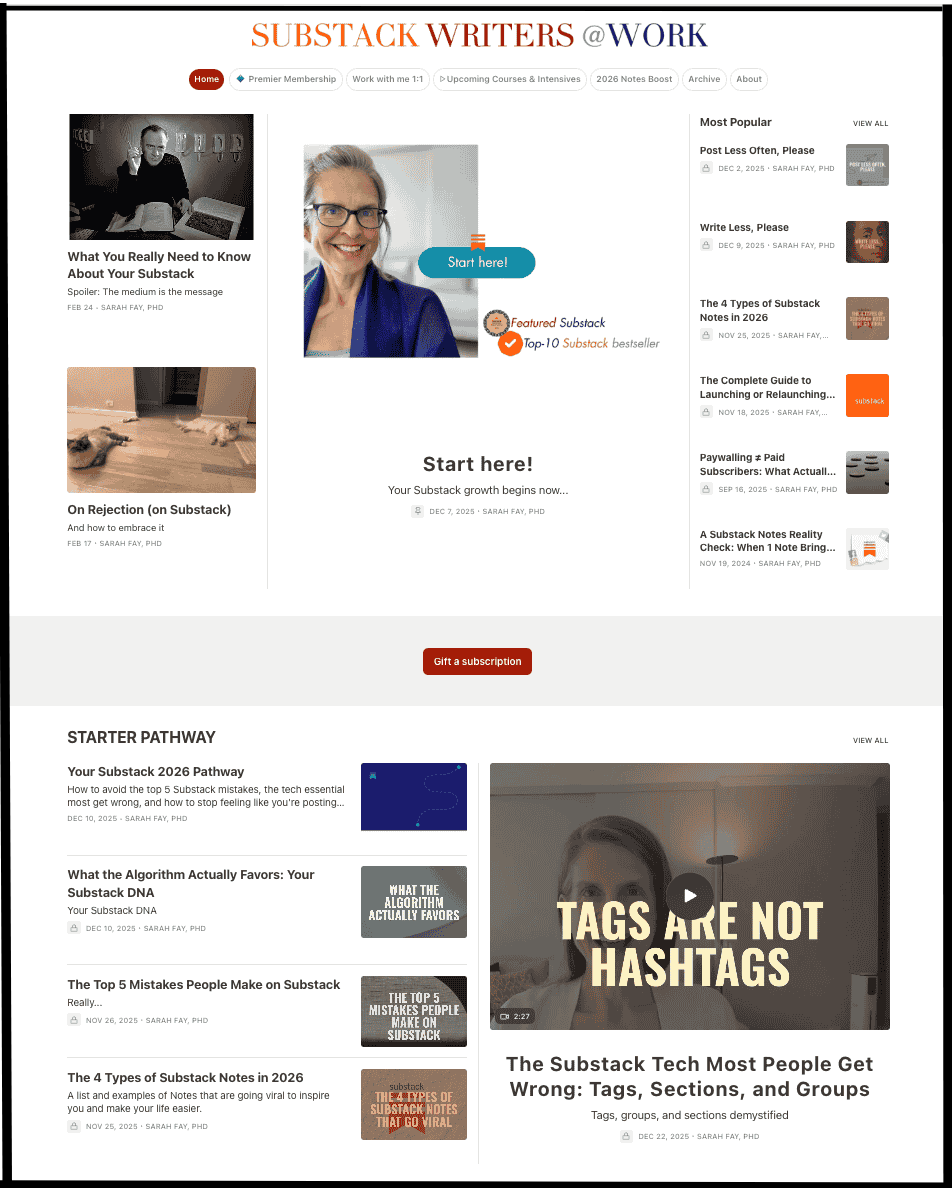
It all starts by tagging your posts
When you go to post, click Post Settings or Continue, and you’ll see Add tags. That’s right: This is not the time to enter a bunch of keywords/hashtags. It’s where you enter a group name, e.g., STARTER PATHWAY.
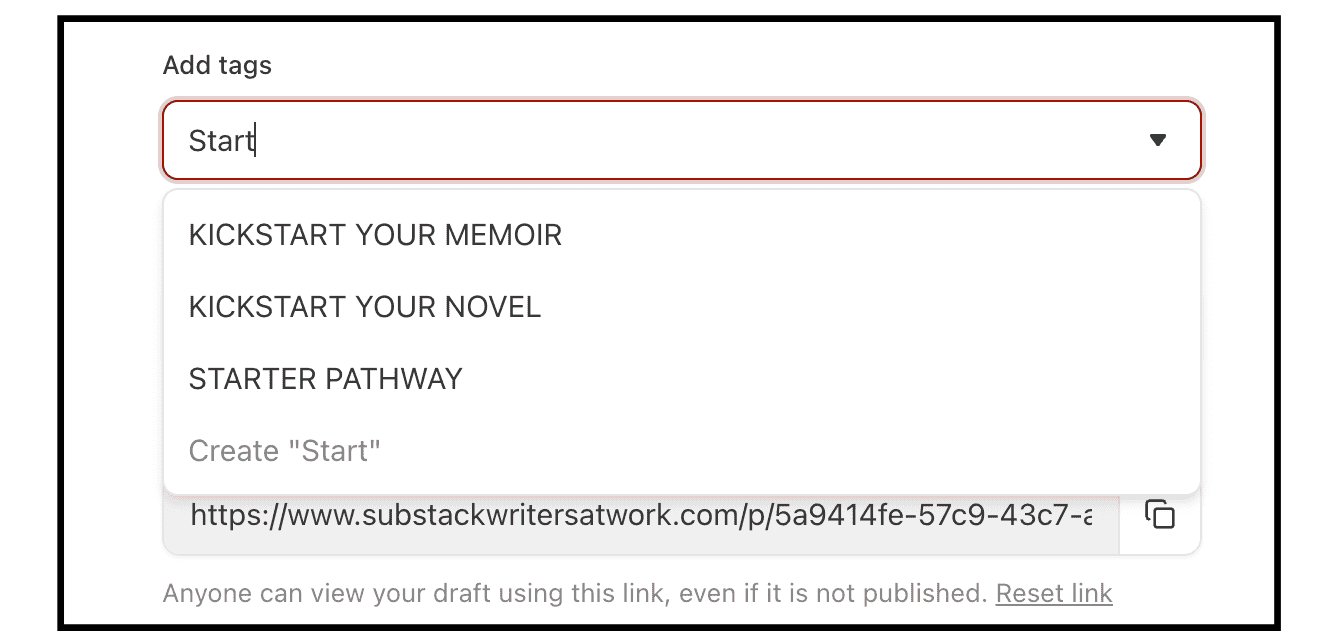
Set up groups on your homepage
In your dashboard settings, go to Website, and then to Website theme editor. Our default is list view, but we have custom body layouts where you can designate part of your homepage with a group of posts all tagged with the same name, e.g., Starter Pathway.
Where to edit, delete, and add tags to your navigation bar
In case you’ve created a whole lotta tags…
On your dashboard, click Settings. In the search bar, type in tag and tags will come up.
If you’re one of those people who created 216 tags/”keywords” because you thought they were hashtags, no need to worry.
Go into your dashboard settings, type tag, and you can delete any of these.
Add a tag/group to your navigation bar: You can add any group to your navigation bar by clicking the three dots to the right of the tag (in dashboard settings). You can also edit the name.
“I use sections to design my homepage.”
Please don’t.
When I first started on Substack many moons ago, I had a meeting with their tech people, and Dayne Rathbone said to me, Why do you have all these sections? And I said, Because I wanted to organize my Substack. To which he said, Um, no, that’s not what those are for. I was schooled.
Sections create a separate email list within your Substack. They’re a way to allow people on your list to opt out or in to receiving certain emails. If you want a separate newsletter/email list that people can subscribe to, that’s why you create a section.
Takeaway: Groups, not sections. Tags order; they don’t help people find you.
Tags, sections, and groups explained in less than five minutes ↓
So glad you’re here with me.
Your Substack Strategist,
Sarah
Move to Step 5:

Return to your Starter Pack Index:




Substack Starter Pack | SW@W homepage | Premier homepage | Manage your subscription | Upcoming Events | 24/7 Substack Chat | Book a Substack Strategy 1:1 with me
You wouldn’t have to keep saying this if Substack called them “section labels” or something else, instead of using the word “tag” to mean something different from what tag means on every other platform.
Substack should clarify this in a more obvious way so people realize how it really works BEFORE they create hundreds of tags. In fact, they should just link to your post in their introductory email when new users join. :)